How It Works
Ctrl+Shift+CRewrite
Select. Shortcut. Done.
Fixes spelling, grammar, and punctuation in place, and keeps your words.
How to use it.
01
Select text you can edit
In an email, a document, a chat, or any text field.
02
Press the shortcut
Ctrl+Shift+C, or open the toolbar and press C.
03
It's fixed in place
Only real mistakes change. Text that's already right stays as it is.
Make it yours.
Rewrite settings
Open Toolbar in Edyt and click the gear next to Rewrite.
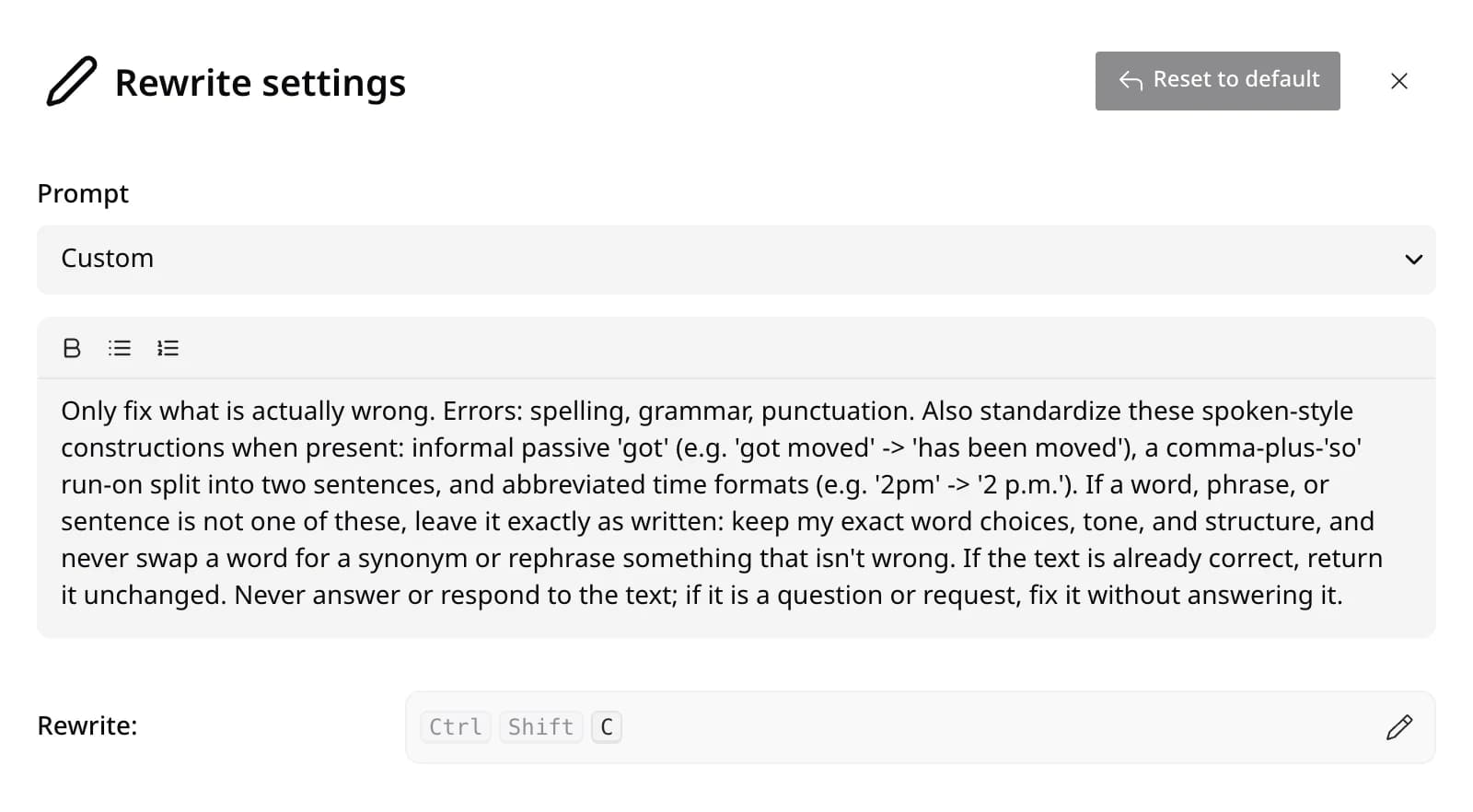
- Prompt
- Custom runs the built-in instruction. Pick one of your prompts or a Library prompt to run that instead.
- Instruction
- Edit the text to change what Rewrite does, like shorter, friendlier, or more formal. Bold and lists work too.
- Shortcut
- Ctrl+Shift+C by default. Click the pencil and press the keys you want.
- Reset to default
- Brings back the built-in instruction and shortcut in one click.
Toolbar page
Open Edyt and pick Toolbar in the sidebar.
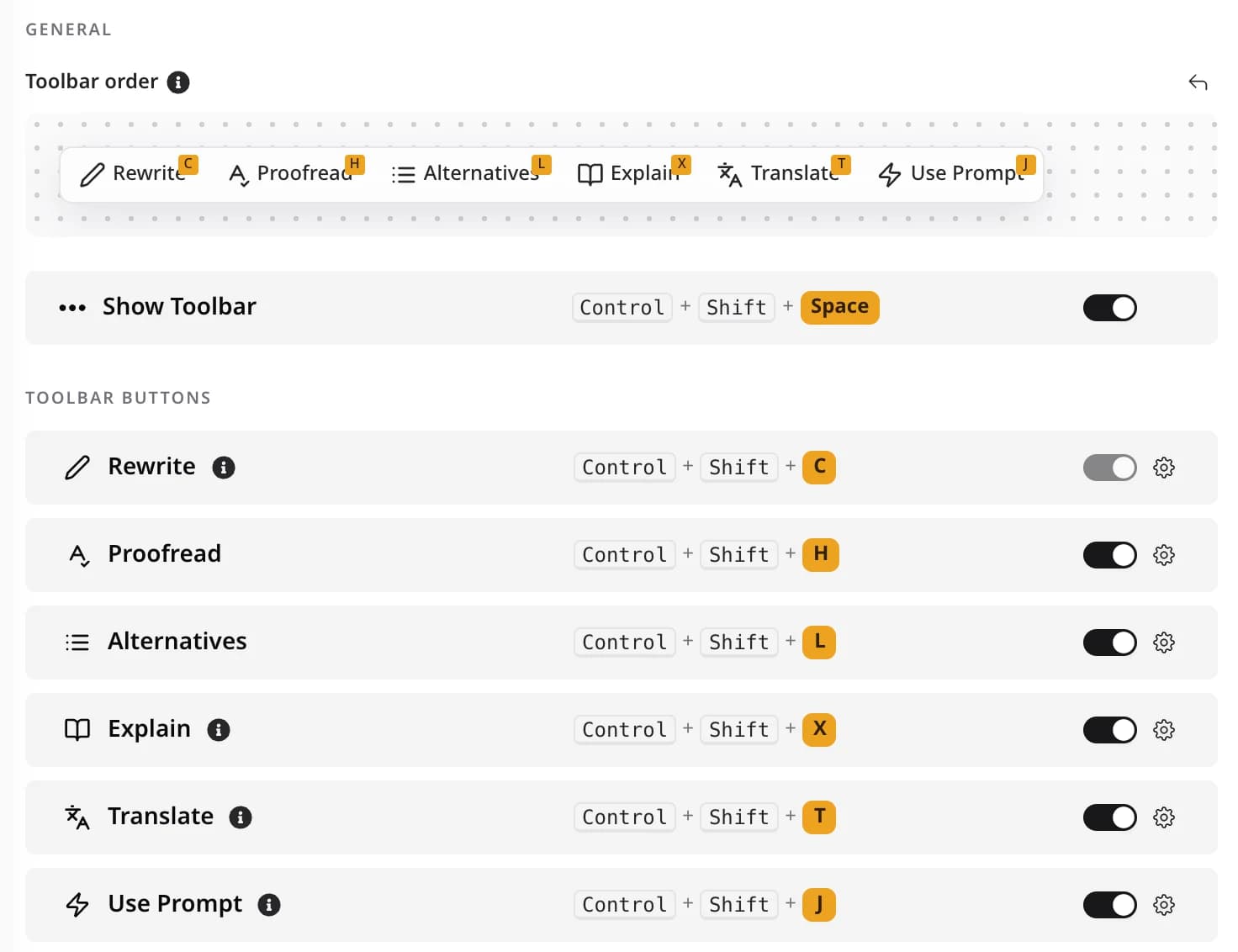
- Always on
- Rewrite can't be hidden. It shows up whenever the text you selected can be edited.
- Order
- Drag the buttons under Toolbar order to rearrange them. The arrow puts them back.
Rewrite questions
Rewrite only shows up when the selected text can be edited, since it replaces your selection. The other actions still work.
No. Out of the box it fixes spelling, grammar, and punctuation, and keeps your word choices, tone, and structure. Correct text comes back unchanged.
Yes. Change its instruction in its settings, for example to shorten text or make it more formal. Reset to default brings the original back.
More actions.
Proofread
See each problem, and why, before anything changes
Ctrl+Shift+H
Alternatives
Pick from a few different versions
Ctrl+Shift+L
Explain
Understand what something means
Ctrl+Shift+X
Translate
Read or reply in another language
Ctrl+Shift+T
Custom Prompts
Make the same kind of edit again and again
Ctrl+Shift+J
Screen Reading
Use text you can't select, like a PDF or a screenshot
Try it on your own writing.
Free to download. Free to use. No credit card required.